
What to do after the 1Password and Todoist breaches
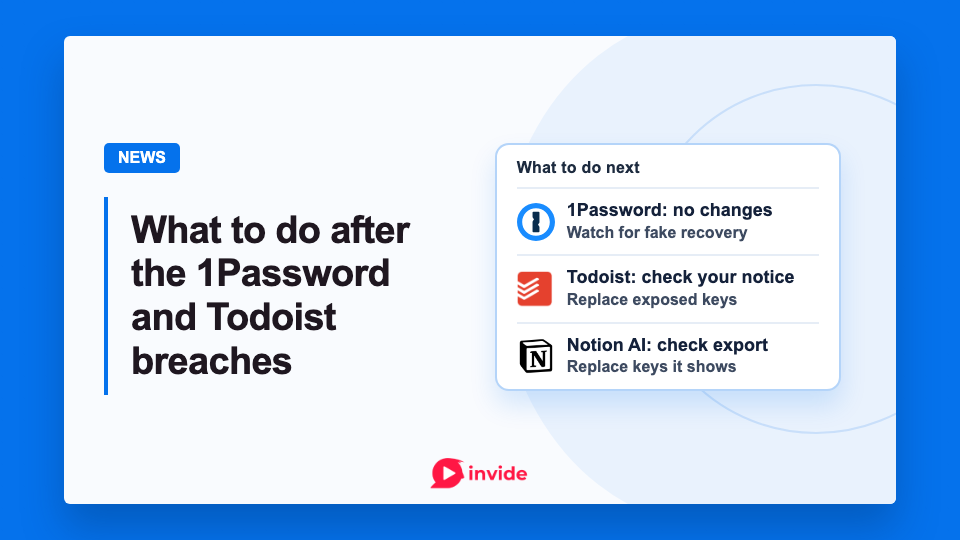
In its November 25 disclosure, 1Password said an attacker used an employee's corporate GitHub account to push malicious code to backend services and copy some customers' account records. In its November 24 notice, Todoist said an attacker used a stolen version-control credential to change automated workflows in three repositories and later reach production.
Todoist says its attacker searched tasks and comments for seed phrases, private keys and other credentials. The data each attacker reached determines what to do. A 1Password customer should watch for fake recovery messages. An affected Todoist user may need to reset a password or replace credentials saved in a task. An older breach at Notion's AI provider shows why a key that appears in an AI reply can need the same treatment.
1Password says vaults were unaffected
1Password says the attacker copied some customers' account records, including names, sign-in email addresses and tokens from certain emailed account recovery and provisioning links. The provisioning links were for SCIM Bridge or Hosted Provisioning. It contacted the small group with affected tokens. Using a token still required a single sign-on (SSO) login or a code sent to the registered email address. The company has since replaced the six-digit code with a ten-character alphanumeric code.
1Password says the exposed data did not include vault contents, vault keys or account recovery keys. It advises customers to watch for unsolicited invitations and recovery requests. Customers need no account changes for this incident. 1Password says it will never contact you to ask for your account password or Secret Key. If a message does, open the 1Password app or visit its official site directly. The Secret Key is only needed when signing in for the first time on a new device or browser, so a request for it on a device you already use is a warning sign. Treat unexpected texts and calls about recovery the same way. If you need to check whether a message is genuine, contact the company through a website or phone number you already trust.
Todoist reset affected passwords and revoked tokens
Todoist says the attacker copied email addresses, account creation dates and salted SHA-1 password hashes for about 6% of users. Those accounts still used the older hashing method because their passwords had gone unchanged since Todoist retired it more than a decade ago. Todoist reset affected passwords and signed those accounts out. It also sent precautionary reset emails to a separate group on November 26 whose accounts it says were uncompromised.
If Todoist reset your password, set a unique replacement and change the old password anywhere you reused it. Todoist says Google and Apple passwords were unaffected. If you use either sign-in option, an affected hash refers to a separate Todoist password. If Google sign-in stopped working, Todoist says to reset your Todoist password and sign in again. For smaller groups, the action depends on the notice:
- API or Slack tokens. If your Slack integration was disconnected, reconnect it through Todoist. To update scripts with a replacement API token, go to Settings, then Integrations, then Developer in Todoist on the web. Todoist says some stolen API tokens were used to read project, task and comment data. If your notice identifies that access, review the affected content for credentials and shared links.
- Credentials in tasks or comments. Revoke and replace exposed keys or passwords with the service that issued them. A copied key can still work after you delete the task. Restrict or replace links in affected projects, tasks or notes that let anyone with the link open a file.
- Outlook. Todoist says the attacker requested message previews and attachment information from some connected mailboxes. If you were affected, follow the instructions in your notice. Reconnecting requires approving a new add-in that may appear as unverified. Work or school accounts may block it until Microsoft completes verification.
Todoist lists no-reply@notify.todoist.com as its notification address. It says it won't ask you to send your password or install software in response to this incident. Verify a message through Todoist directly if you're unsure. The company says users who received no email have no action to take.
Review the affected Notion AI export
Notion notified affected customers on November 9 after learning that the earlier Fireworks AI breach involved chat transcripts used for its Insights feature. On November 25, Hakuhodo said some of its employees' prompts and AI responses might have been exposed (Japanese PDF). Hakuhodo is still investigating whether anyone acquired that material.
Notion says fewer than 1% of workspaces were affected. It revoked exposed Notion API keys it found in messages and alerted the vendors that issued exposed third-party keys.
The affected data can include text selected on a page and the AI's full replies, including snippets from pages or databases. In an affected workspace, open Notion in a desktop browser, select ? in the sidebar, choose Security incident review and download affected_content.csv. The __metadata_source_date column shows when each entry was sent to Fireworks. Revoke or replace any credentials you find in the export, including ones quoted by the AI.
Owners of Business and Enterprise workspaces with a verified domain can use the annotated export to find likely secrets. Filter __analysis_secret_categories for values other than [], then review the text for anything the automated scan missed.
Check where you keep secrets
Even if you received no notice, check places you use as scratchpads, such as Todoist tasks and Notion pages, for passwords, API keys or recovery phrases. Move anything you find to a password or secrets manager. If a credential appears in affected data or you have another reason to think it was exposed, replace it with the service that issued it.
Member discussion